


Vince's GM Center - Chevrolet

Blog

All Burlington Chevrolet Dealer Vince's GM Center Burlington Chevrolet Service Chevrolet chevy silverado chevy silverado 1500 Colorado Vince's GM Center Service
GMC Sierra vs GMC Terrain for Work and Daily Driving
in Burlington Chevrolet Dealer

GMC Sierra vs GMC Terrain for Work and Daily Driving

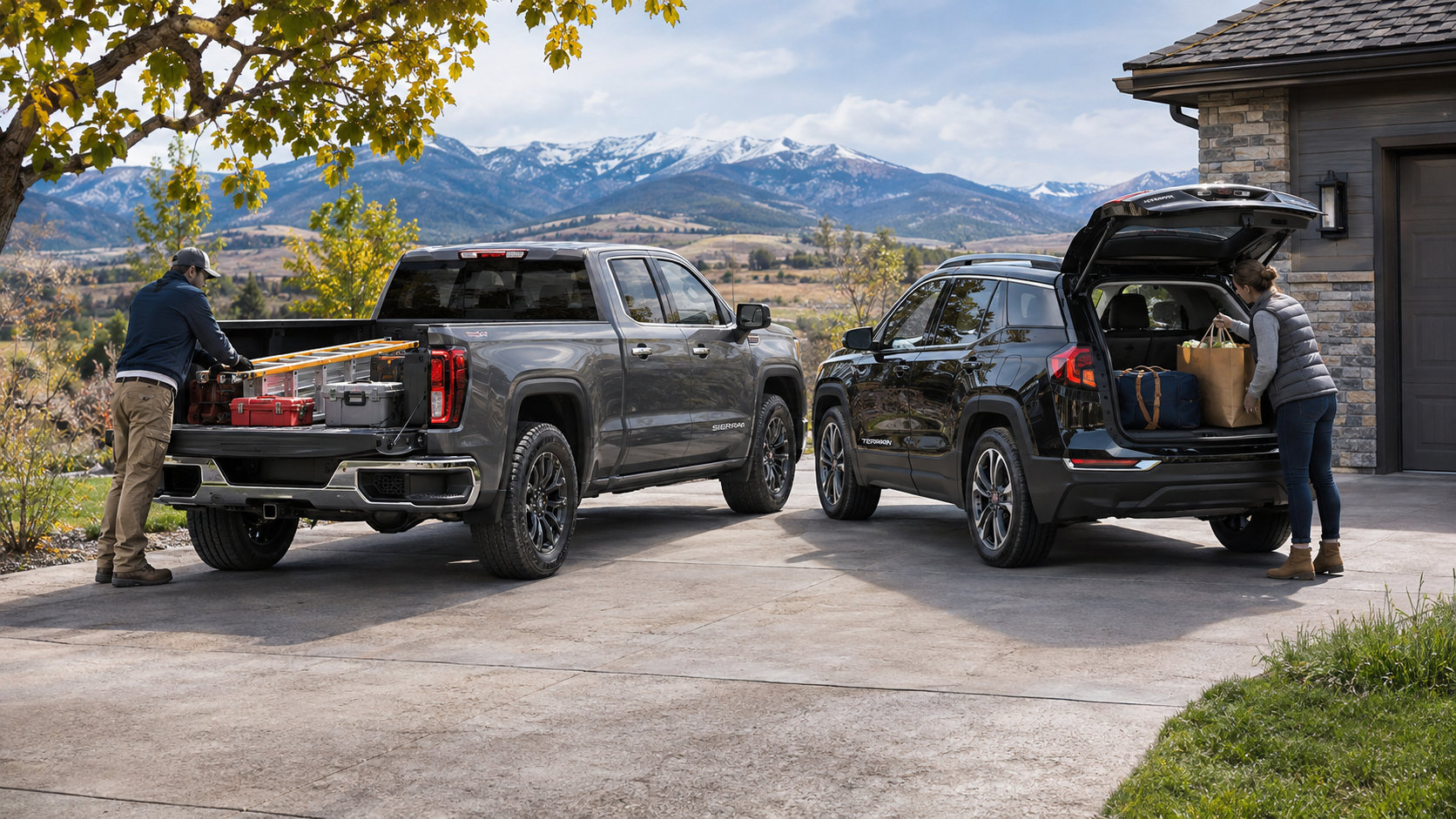
GMC Sierra vs GMC Terrain presents a familiar choice: an open-bed pickup or a compact SUV with enclosed storage. A pickup and a compact SUV solve different transportation problems. The Sierra provides an open bed and multiple cab and engine choices. In contrast, the Terrain keeps belongings inside an enclosed cargo area behind its passenger seats. Both serve trips around Burlington, Colorado, but their designs shape what each can handle. Before selecting either GMC, consider trailer weight, cargo dimensions, passenger space, and your usual routes. How Pickup and SUV Construction Changes What You Can Carry The GMC Sierra 1500 uses a separate pickup bed behind the cab. This layout provides a space for materials that might not fit through an SUV liftgate. You can load bulky tools, landscaping supplies, or equipment without bringing them into the passenger compartment. However, an open bed leaves cargo exposed unless you add suitable protection. You must also secure loads to prevent shifting or loss during travel. The Terrain places its storage area directly behind the second row. A liftgate opens to an enclosed space for groceries, bags, or sporting goods. This design keeps smaller belongings out of the elements when the liftgate closes. Still, the roof and cargo opening limit the height and shape of items you can load. Long objects may require folding part of the rear seat. So, which body style fits your plans? Start with the shape, weight, and frequency of your largest loads. A truck bed makes sense when you transport bulky materials that are difficult to fit inside a cabin. An SUV makes sense when protected storage and easy access to smaller items matter more. Neither layout replaces the need to check weight limits and secure cargo correctly. Towing Ratings and Why the Details Matter Towing involves more than connecting a trailer to a hitch. The trailer places weight on the hitch and adds resistance while accelerating, turning, and braking. Therefore, you need a vehicle with an adequate tow rating and the proper equipment. You must also account for passengers and anything carried inside the vehicle. For the 2026 Sierra 1500, GMC lists available maximum diesel towing of up to 13,300 pounds. That figure applies to specific configurations, not every Sierra. The 2027 Terrain lists up to 1,500 pounds when properly equipped. Its available all-wheel-drive configurations support light trailering, but the exact limit must match the vehicle's equipment. For either GMC, consult the owner's manual and the vehicle-specific rating before towing. A useful towing checklist starts with three measurements: Loaded trailer weight: Include the trailer, fuel, water, equipment, and anything else it carries before checking the tow rating. Tongue weight: Account for the downward force at the hitch because it contributes to the vehicle's carrying load. Vehicle load: Include people, luggage, and accessories because these also count toward applicable weight limits. If towing forms a regular part of your plans, Sierra configurations provide a wider range of trailer choices. However, a lightly loaded utility trailer may fall within a properly equipped Terrain's limits. Match the actual trailer and equipment to the specific GMC before making a decision. Cargo Space, Loading Access, and Storage Protection Cargo volume tells only part of the story. The Terrain offers up to 29.8 cubic feet behind its second row. Fold the rear seats, and GMC lists up to 63.5 cubic feet. However, those figures describe interior volume, not the dimensions of every object that will fit. Measure the cargo opening and the length of any large item before relying on the published volume. The Sierra offers different bed lengths across its configurations. Its open design makes tall or awkward materials easier to position. However, bed length, width between wheel wells, payload, and tie-down locations still matter. A large object may fit inside the bed but exceed the vehicle's permitted load weight. Likewise, loose material needs safe restraint even when the bed walls surround it. Think about what happens after you arrive. With Terrain, you can lift bags from an enclosed compartment and close the hatch. With Sierra, you may need to lower the tailgate, remove straps, or uncover stored equipment. In return, a pickup bed provides space for items you would not want inside a carpeted cabin. For Burlington errands, road trips, or outdoor gear, list your three largest regular loads. Check their dimensions and whether they need a covered storage area. That exercise will reveal more than a simple comparison of cargo figures. Passenger Room, Parking, and Daily Transportation Both GMC models transport passengers, but their interior arrangements differ. Terrain has two rows with seating for up to five. Its rear seats fold in a 60/40 split, expanding cargo room while retaining one rear seating position. Still, folding seats reduces the number of passengers you can carry at the same time. Sierra 1500 seating varies with the cab selected. A Crew Cab provides a larger rear seating area than a smaller cab layout. Therefore, shoppers transporting adults or child seats should inspect the exact truck configuration. Compare rear legroom, entry access, and how much space remains after fitting seats or travel bags. Exterior size also shapes the daily drive. Terrain measures about 181 inches long, making it shorter than a full-size Sierra 1500. This smaller footprint can simplify crowded parking areas and tight turns. Sierra's larger dimensions require more room, although its bed serves tasks a compact SUV cannot handle as easily. Fuel economy deserves its own check. Terrain uses a 1.5-liter turbocharged four-cylinder engine, while Sierra offers several engine choices. Those Sierra powertrains have different fuel consumption ratings. Instead of assuming one figure applies to every truck, compare the EPA estimates on the exact vehicles under consideration. Then weigh your weekly mileage against how much you need the pickup bed or towing equipment. Choosing the GMC That Fits Your Plans The most useful vehicle comparison begins with the tasks you cannot change. Start with your heaviest trailer, your largest cargo, and your usual passenger count. Then consider the miles you drive during a normal week. Together, these details show which design deserves a closer look. Use these starting points while comparing available vehicles: Look closely at Sierra when you need an open bed, transport large materials, or require trailer ratings beyond Terrain's limits. Look closely at Terrain when enclosed storage, five-passenger seating, and a smaller footprint suit your usual trips. Compare specific configurations when both seem suitable because cab style, drivetrain, towing equipment, and cargo dimensions can change the answer. A test drive adds another useful check. Bring the dimensions of any gear you transport and review vehicle-specific ratings before choosing a configuration. If you park in a garage, measure the available length and clearance. For trailers, verify the loaded weight and required hitch equipment before discussing a purchase. At Vince's GMC in Burlington, Colorado, you can review available Sierra and Terrain vehicles side by side. Explore current GMC inventory to narrow the selection, then examine the vehicles that match your transportation plans. The goal is a GMC that works for the trips you make and the loads you need to carry.

Read More

GM OnStar: Your Comprehensive Guide to Connected Vehicle Services in 2026

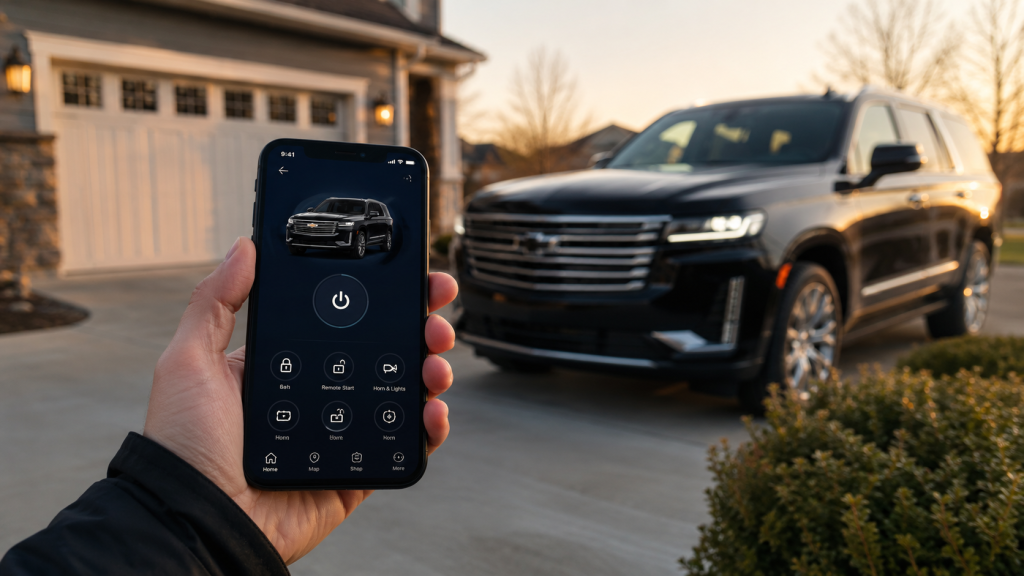
Your Chevrolet may already include connected features you have not tried. Chevrolet OnStar plans explain which services come with your vehicle and which require a separate subscription. If you want emergency assistance, phone controls, or in-car internet, the differences are worth checking. Your vehicle's model year and equipment shape what you can access. Chevrolet OnStar and Its Connected Services OnStar connects eligible Chevrolet vehicles to safety assistance, digital features, and account-based services. A built-in connection lets supported equipment communicate beyond the cabin. However, the vehicle needs compatible hardware, electrical power, and available cellular and GPS signals for particular functions. What does OnStar do when you need assistance? It can connect an eligible Chevrolet to an OnStar Advisor or initiate certain automatic responses. In addition, other features connect the infotainment display, your phone, and information about your vehicle. These functions are related, but they do not all require the same subscription. A Chevrolet Silverado owner might use remote door locks from a phone. An eligible Chevrolet Equinox owner might use built-in navigation or streaming apps. Still, equipment varies by vehicle, trim, and model year. The presence of an OnStar button does not guarantee access to every connected feature. Furthermore, OnStar sits within Chevrolet's wider connected-service offerings. Vehicle Diagnostics, mobile access, and navigation are separate functions with different eligibility rules. Therefore, review each available service individually before changing a plan. Chevrolet OnStar Plans for 2026 OnStar Basics gives eligible 2025 and newer Chevrolet vehicles eight years of core included services. These include Automatic Crash Response, remote commands, supported audio apps, voice assistance, and navigation. However, a particular function still requires compatible vehicle equipment and an active connection. By contrast, older Chevrolet models may have a different package or subscription history. What separates the paid OnStar plans? Each concentrates on a different set of services, while OnStar One combines major categories. Additionally, the current lineup replaces older names such as Safety & Security, Essentials, and Remote Access. Consequently, an older receipt may show a name that no longer appears in the plan catalog. OnStar Connect includes supported audio apps, remote commands, voice assistance, and navigation for eligible vehicles. Check included Basics features first to identify what would be new for your Chevrolet. OnStar Connect Plus adds in-vehicle Wi-Fi and eligible entertainment features, including video, games, and a browser. These functions require compatible infotainment equipment. OnStar Protect provides additional safety services, including Advisor access, roadside support, stolen vehicle assistance, and OnStar Guardian access. Its coverage differs from the core features supplied through Basics. OnStar One bundles safety and connected entertainment services under one subscription. Its precise availability and included functions should be checked against your Chevrolet account. Beyond that, Super Cruise is a separate consideration for appropriately equipped Chevrolet vehicles. It supports hands-free driving on compatible roads, but the driver must remain attentive and ready to respond. A subscription cannot add Super Cruise hardware to a vehicle without it. Plan prices, offers, and trial terms can change. Moreover, the plans available to a 2026 Chevrolet may differ from those offered for an older model. The signed-in account shows eligible options and current terms for that particular vehicle. OnStar Safety and Security Features First, Automatic Crash Response uses vehicle crash information to initiate a connection for assistance when qualifying events occur. An OnStar Advisor can assess the situation and coordinate with first responders when the service connects. Still, a working vehicle connection and other service requirements apply. This function comes with OnStar Basics on eligible newer Chevrolet vehicles. Which additional safety services need a paid plan? OnStar Protect includes Advisor-supported emergency assistance, Roadside Assistance, and Stolen Vehicle Assistance. Those services go beyond the core Basics package. Therefore, verify your active coverage before assuming that every safety function remains available after a trial ends. Additionally, Roadside Assistance can connect you with help for a flat tire or a vehicle that will not start. Stolen Vehicle Assistance works with law enforcement after a theft has been reported. Certain available tools may assist with locating an eligible stolen Chevrolet. However, service access and recovery actions require the relevant plan and vehicle eligibility. Moreover, OnStar Guardian extends selected emergency and roadside features to a compatible phone outside the Chevrolet. Its available functions and access requirements differ from the in-vehicle buttons. The app remains part of OnStar's current Protect offering. Review its permissions and subscription requirements before relying on it away from your vehicle. Still, these services are not substitutes for attentive driving or emergency judgment. If a connection fails, use another available way to contact local emergency services. Remote Access Through the myChevrolet App The myChevrolet mobile app connects your phone with supported controls and vehicle information. Additionally, after account setup, eligible commands travel through connected services to compatible vehicle equipment. Therefore, a Chevrolet must have the necessary hardware and service access to respond. Can you start or unlock your Chevrolet from your phone? Yes, when remote commands are available and the vehicle supports the requested action. Remote start also requires factory-compatible equipment and proper vehicle status. For this reason, a Chevrolet without remote-start hardware cannot gain that function simply by installing the app. For eligible models, the app offers several available actions: Remote key fob commands can lock doors, unlock doors, sound the horn, or start a properly equipped Chevrolet. The vehicle must accept the command through an available connection. Vehicle Locate can show the Chevrolet's position on a map and provide directions back to it. Availability requires the appropriate permissions and connected services. Vehicle Status and Diagnostics can display available tire-pressure, fuel, oil-life, or maintenance information. The specific readouts vary with vehicle equipment and data access. Beyond that, for eligible Chevrolet electric models, the app may also show battery charge information and charging tools. Additionally, certain equipped vehicles can receive navigation destinations sent from a phone. App screens and service permissions can change, so use your signed-in vehicle profile as the final check. Navigation, Wi-Fi, and Connected Entertainment Navigation and Wi-Fi serve different purposes inside a Chevrolet. Supported built-in navigation supplies route information through the vehicle display. An in-vehicle Wi-Fi hotspot creates an internet connection that passengers can use with compatible devices. Consequently, having navigation does not mean that unlimited hotspot data is included. Does your Chevrolet need Connect Plus for Wi-Fi? Connect Plus includes an eligible in-vehicle hotspot and expanded entertainment access. However, OnStar Basics already supplies supported navigation and audio apps in qualifying newer Chevrolet vehicles. Confirm the model's infotainment equipment before comparing subscriptions. Furthermore, the distinction also matters for streaming. Supported audio apps can appear on the center display, while video, games, and browser access require specific equipment and services. Some entertainment functions may have restrictions while the Chevrolet is moving. Moreover, passengers should not assume that a screen supports every app listed in a plan description. Still, connected features rely on network availability and suitable equipment. Cellular reception may weaken in remote areas, and an interrupted connection may prevent a command or stream from working. Therefore, download essential directions or prepare another navigation option before traveling outside reliable coverage. If you are exploring a Chevrolet with particular connected features, review the new Chevrolet inventory. Confirm the chosen vehicle's equipment instead of trusting a plan name alone. Checking Chevrolet OnStar Coverage and Managing Plans First, begin with the Chevrolet model year, compatible equipment, and current subscription status. Next, sign in to your OnStar or Chevrolet account to view included services, active plans, and available upgrades. The Chevrolet OnStar information page at Vince's GM Center also introduces the main service categories. How can you tell what remains after a trial? Your account identifies the features attached to your vehicle purchase and those linked to paid service. For eligible newer Chevrolet vehicles, included Basics features have their own stated duration. By contrast, paid trial features may stop unless you enroll in a qualifying plan. Additionally, to activate or change service, use your vehicle's blue OnStar button or the account's plan-management tools. You may also call OnStar at 1-888-466-7827. Before canceling, confirm exactly which emergency and connected features will remain accessible for your Chevrolet. OnStar's general cancellation guidance warns that services can become unavailable when an account is deactivated. Moreover, review the account's current monthly price, taxes, any trial end date, and plan terms before subscribing. Also check privacy permissions for location-sharing and mobile features. These details make the subscription easier to manage without assuming that every Chevrolet has identical access. With that in mind, if you have questions about a Chevrolet, contact Vince's GM Center in Burlington, Colorado. You can review the available features and decide which services belong in your vehicle before committing to a plan.
Chevy Service Appointment Repair Explanations Before Work

Chevy Service Appointment Repair Explanations Before Work

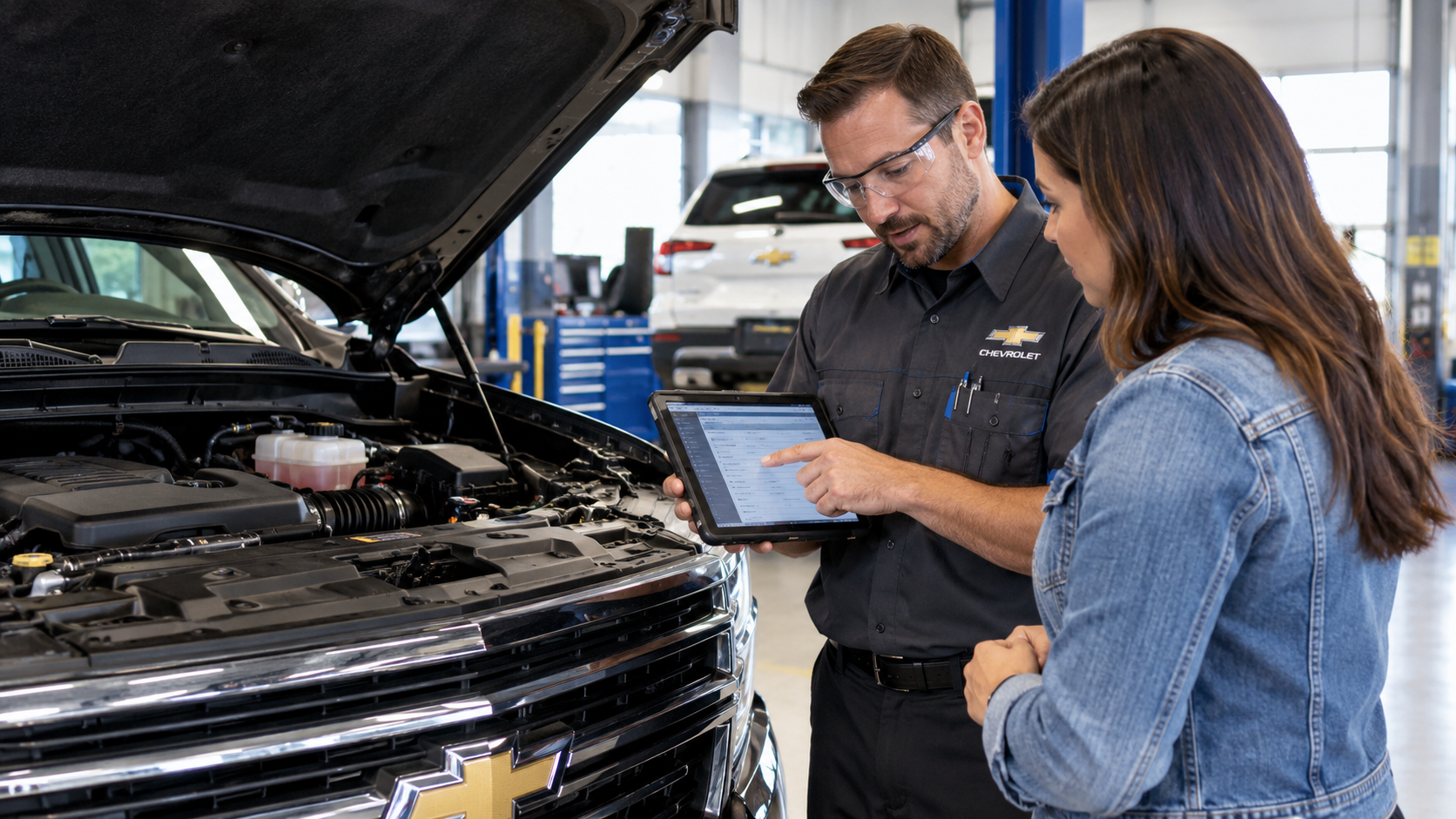
A chevy service appointment should leave you with clear answers before any repair work begins. You should know what technicians checked and what they found. In addition, you should know what they recommend next. Clear explanations make it easier to review the repair plan and ask useful questions. Therefore, each part of the visit should connect to the concern you reported. The goal is a repair decision based on clear information. Start With What the Vehicle Is Doing What should you tell the service team when you arrive? Start with the exact symptom you noticed and when it appears. Additionally, mention warning lights, noises, vibration, odors, or changes in operation. Recent repair work can add useful context during a chevy service appointment. However, vague descriptions can give technicians less direction at the start. A few specific details can give the technician a clearer starting point. Describe whether the issue appears during startup, braking, acceleration, turning, or highway driving. Explain when the issue first appeared and whether it happens during every trip or only at certain times. Mention recent maintenance, repairs, warning lights, unusual sounds, or other changes that happened before the concern appeared. A clear history gives the technician more information to compare with test results. As a result, the diagnostic path can begin with specific clues from your description. The advisor can then explain what needs to be checked first. A Diagnostic Code Is the Starting Point Does a diagnostic code tell the technician which part needs replacement? No. Instead, a code points toward an area that needs further testing. During a chevy service appointment, technicians may review scan data after retrieving a code. Furthermore, they may inspect wiring, connectors, sensors, fluid levels, or related mechanical parts. Each step can narrow the source of the concern. A clear explanation should separate the code from the confirmed finding. Therefore, you should hear what the scan showed and what testing followed. You should also hear what evidence supports the diagnosis. Some concerns do not create a stored code. For this reason, a noise, vibration, leak, or intermittent issue may require direct inspection. Road testing or targeted measurements may also be needed. Verification should come before a firm repair recommendation. However, the cause may still remain uncertain after the first tests. In that situation, the service team should explain what remains to be checked. Clear Findings Should Explain What Was Checked A chevy service appointment may include inspections beyond the concern that brought you in. Therefore, the findings should provide more than a list of checked boxes. You should understand the inspection steps and the technician’s findings. A useful explanation connects each inspection result with clear information you can review. That information should make the finding easier to understand before another service decision is made. A brake inspection should explain items such as pad thickness, rotor condition, and any visible hardware concerns. A battery check should explain the test result and whether the battery currently meets expected operating requirements. A tire inspection should explain tread depth, pressure, visible wear, and any issue that may require attention. The finding itself also needs context. However, a statement such as “needs brakes” leaves several useful questions unanswered. A stronger explanation identifies the measured result and the proposed repair. The same approach works across routine maintenance and repair visits. Therefore, you should be able to connect each recommendation to a finding. You should also know which items need prompt attention and which items you can plan later. Written inspection notes should support the conversation. In addition, they give you something to review after the advisor explains the findings. Clear notes can also make a later visit easier to compare. Repair Recommendations Need Context Before Approval Before approving work during a chevy service appointment, you should understand what issue the repair should correct. You should also know what parts or labor are included. Furthermore, the advisor should explain the repair scope in direct language. A useful repair explanation should answer several questions before you authorize the work. These details connect the technician’s findings with the proposed repair. The advisor should explain what problem the technician confirmed and what evidence supports that diagnosis. The proposed work should identify what will be repaired or replaced and why that work addresses the confirmed issue. The estimate should explain expected cost, repair priority, and whether another item can be monitored or scheduled later. The estimate should connect back to the diagnosis. Therefore, price should appear alongside the reasoning for the proposed work. You should be able to see how the repair addresses the confirmed issue. Timing also needs a clear explanation. For this reason, the advisor should identify repairs that need prompt attention. Other items may be monitored or scheduled for a later visit. You can also review Vince’s current Chevrolet service and parts offers when planning maintenance or repair work. Before you approve the repair, ask for clarification on anything that feels unclear. However, a complete explanation should make the next step easy to understand. You should not need to guess what the recommendation means. Clear Communication Also Covers What Has Not Been Confirmed Some concerns are difficult to reproduce during one chevy service appointment. Intermittent warning lights, noises, or electrical issues may require more testing. Therefore, clear updates matter when testing has not confirmed the source. The service team should explain which tests they completed. In addition, they should explain which possible causes those tests ruled out. If more testing is needed, you should know what the next diagnostic step will be. The service team should not present uncertainty like a confirmed diagnosis. By contrast, a suspected source is still a lead that needs verification. The advisor should state that distinction plainly. Follow up instructions can also provide useful information. For this reason, the advisor may ask you to note when the symptom returns. Details about speed, temperature, road surface, or vehicle operation can support the next inspection. A clear update can still move the process forward without a final answer. However, you should leave knowing what the team learned so far. You should also know what the service team plans to check next. What You Should Know Before You Leave A chevy service appointment should end with a clear summary of the visit. You should know what you reported, what technicians checked, and what they found. In addition, you should understand the proposed repair before approving work. Ask questions until the repair plan makes sense to you. Therefore, the explanation should connect the symptom, diagnosis, recommendation, and next step. If replacement components are needed, Vince’s also provides an online Chevrolet parts request option. Clear information gives you a solid basis for deciding what your vehicle needs next.

Chevy Colorado Towing Capacity and What Shapes the Limit

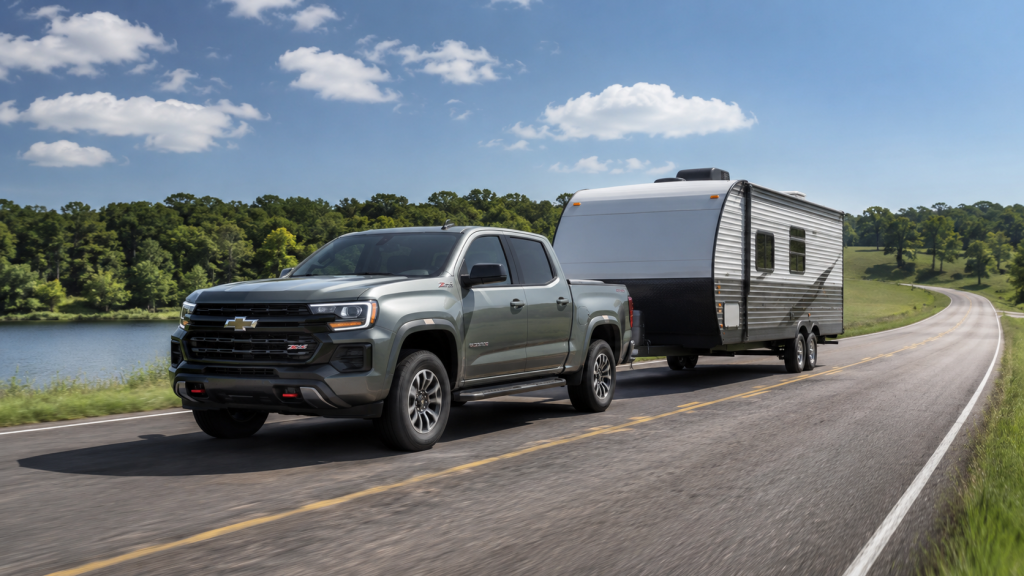
A camper, boat, or equipment trailer puts several demands on a truck at once. Chevy Colorado towing capacity starts with the rated trailer limit, but that number needs context. Payload, tongue weight, passengers, cargo, and truck configuration all enter the math. Therefore, a trailer below 7,700 pounds does not automatically fit every Colorado. The exact truck and loaded trailer must remain inside every published weight rating. This guide explains how those numbers connect before the hitch meets the trailer. What Chevy Colorado Towing Capacity Measures How much can a Chevy Colorado tow? The rating describes the heaviest trailer approved for a specific truck setup. Chevrolet lists a 7,700 pound maximum available towing rating for the 2026 Colorado. However, that figure represents a properly equipped truck, not every Colorado on the road. Chevrolet uses several weight ratings when establishing towing limits. Gross Combination Weight Rating covers the loaded truck and loaded trailer together. Gross Vehicle Weight Rating covers the truck, occupants, cargo, and trailer tongue weight. Rear Gross Axle Weight Rating limits the weight carried by the rear axle. Therefore, one published towing number cannot replace the other ratings. A loaded trailer must fit beneath the trailer rating and the combined rating. The truck must also remain beneath its vehicle and axle limits. Chevy Colorado towing capacity also changes with the exact truck setup. Chevrolet notes that passengers, cargo, equipment, and accessories reduce remaining trailer weight. For this reason, the label and Owner’s Manual for the specific truck deserve the final check. Payload and Tongue Weight Share the Same Space Additionally, payload answers a different question than trailer weight. It measures how much weight the truck itself can carry. Chevrolet lists up to 1,710 pounds of maximum available payload for the 2026 Colorado. Still, that number changes with equipment and configuration. Moreover, trailer tongue weight presses downward on the hitch. That downward force counts toward the weight carried by the truck. Chevrolet recommends 10 to 15 percent tongue weight for conventional trailers in its 2026 trailering guide. For this reason, consider a loaded conventional trailer weighing 6,000 pounds. A 10 percent tongue load equals 600 pounds at the hitch. A 15 percent tongue load equals 900 pounds. Therefore, the hitch load can consume a large share of available payload before people enter the cab. Before towing, account for each load carried by the truck: Passenger weight uses part of the available payload before trailer tongue weight enters the calculation. Bed cargo adds more weight to the truck and leaves less room beneath its vehicle rating. Accessories can add weight before camping gear, tools, coolers, or other cargo enters the bed. Chevy Colorado towing capacity makes more sense when payload enters the same calculation. Moreover, use loaded trailer weight instead of an empty trailer figure. Water, propane, tools, food, and gear can raise trailer weight before departure. Why Trailering Equipment Changes the Rating Why does trailering equipment matter when the engine remains the same? The truck needs the correct hardware to connect, control, and monitor a trailer. Chevrolet ties the Colorado’s 7,700 pound maximum rating to the proper factory equipment. Additionally, the Advanced Trailering Package adds hardware and technology for trailer operation on qualifying Colorado configurations. Chevrolet also offers Hitch View to show the receiver area during hookup. Therefore, these features address more than engine output. The towing setup should match the trailer and the truck rating: The receiver and hitch hardware must match the trailer weight and connection type. Trailer wiring connects required lighting and electrical functions between the truck and trailer. Trailer brake equipment coordinates braking support when the trailer requires its own brakes. Chevy Colorado towing capacity also depends on using equipment approved for the truck and trailer. In addition, Chevrolet advises owners to review the Owner’s Manual before trailering. The manual identifies requirements for the exact truck and trailer combination. Beyond that, hardware matters because towing places load on braking, cooling, suspension, tires, and chassis components. Consequently, engine torque only answers part of the towing question. The complete truck setup establishes the published limit. Why Colorado Trim and Configuration Matter Why can two Chevy Colorados carry different towing ratings? Their engines may match while chassis hardware, tires, suspension, and installed equipment differ. Those changes alter vehicle weight and the ratings assigned to each configuration. In addition, the 2026 Colorado uses a 2.7 liter TurboMax engine with 310 horsepower and 430 pound feet of torque. However, Chevrolet offers five distinct Colorado models with different hardware and missions. WT, LT, Trail Boss, Z71, and ZR2 do not share identical chassis setups. For a towing focused truck, compare the exact configuration before comparing trim names. Check the factory trailering equipment, payload label, axle ratings, tires, and trailer connection. Therefore, a trim with more specialized trail hardware may carry a different trailer rating. Chevy Colorado towing capacity should never come from the trim badge alone. Instead, use the rating assigned to the truck being considered. This matters when a camper or equipment trailer will travel with people and bed cargo. Moreover, off road hardware can also change the equation. Larger tires, suspension changes, added chassis equipment, and vehicle weight all enter the engineering limits. For this reason, compare the complete truck specification against the loaded trailer. When Silverado Enters the Towing Conversation Colorado gives Chevrolet truck shoppers a midsize option with up to 7,700 pounds of maximum available towing. However, some trailer plans call for more room within the published ratings. Silverado 1500 reaches up to 13,300 pounds of maximum available towing for 2026. Still, that larger rating does not mean every trailer requires a Silverado. Instead, start with the loaded trailer, tongue weight, passengers, and truck cargo. Then compare those numbers with the ratings for the exact Colorado. Chevy Colorado towing capacity may fit a boat, utility trailer, or travel trailer while leaving enough room within every rating. By contrast, heavier campers or larger equipment trailers may point toward Silverado 1500. Silverado HD enters the discussion when trailer demands move well beyond half ton truck ratings. Furthermore, towing frequency deserves attention during truck selection. A trailer used several weekends each year presents a different task from frequent heavy towing. Route grades, cargo changes, and trailer loading also deserve careful review before choosing the truck. Vince’s GM Center offers Colorado, Silverado 1500, and Silverado HD models for Chevrolet truck shoppers in Burlington. Still, the towing decision should begin with weight, not truck size alone. Bring the trailer specifications and expected cargo into that comparison. Then verify the exact truck rating before you tow.

2026 Chevrolet Colorado: Is It Enough Truck for You?

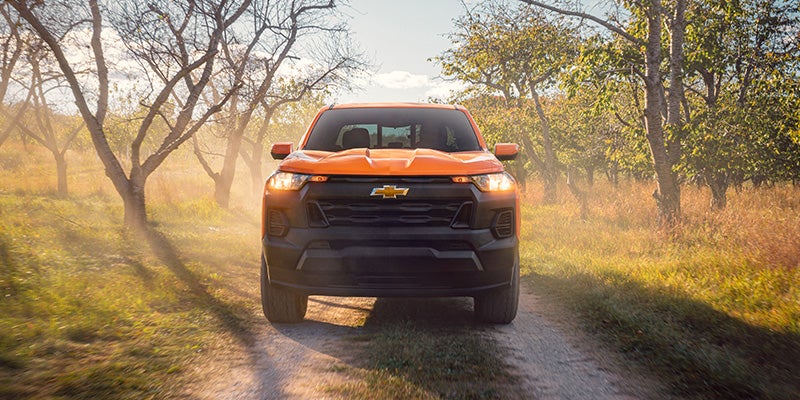
The 2026 Chevrolet Colorado may fit your routine when its towing, cab, and bed limits cover your hardest planned task. Start with the work you expect the truck to handle most. Then compare those needs with the truck’s ratings, space, and trim choices. A midsize pickup can cover commuting, home projects, weekend towing, and light jobsite work. It also takes up less space than a Silverado 1500. However, its shorter bed and smaller rear seat may create limits for some households. The goal is simple. Choose enough truck for your plans without adding size you must manage every day. Start With Your Hardest Truck Task Your hardest planned task should guide the truck decision. That task may involve towing, bed cargo, passengers, or rough roads. What should you list first? Record the heaviest trailer, largest bed load, and usual passenger count. Also note how many times each task happens during a normal year. Use these questions before comparing trims: What is the loaded weight of your camper, boat, utility trailer, or work trailer? How much weight will ride in the bed, including tools, supplies, coolers, and accessories? How many adults, children, or child seats will travel inside the cab? A rare task may not require a larger truck. However, repeated heavy loads deserve more room below the truck’s limits. The Colorado suits people who need pickup utility without a full size footprint. It works well when towing and cargo stay within clear margins. A Silverado 1500 may fit better when those tasks occur every week. Is 7,700 Pounds Enough for Your Trailer? The 7,700 pound maximum tow rating applies to correctly equipped Colorado trucks. The selected configuration must support that figure. Is 7,700 pounds enough for your trailer? Start with the loaded trailer weight, not the empty factory number. Water, propane, batteries, food, tools, and gear can raise the total. Hitch weight also presses down on the truck. Passengers, bed cargo, and accessories use part of the truck’s load allowance too. Therefore, review four items before choosing: Confirm the trailer’s loaded weight after fluids, supplies, and gear are added. Estimate hitch weight and every item carried inside the truck. Check the door label and towing information for the exact Colorado. A trailer may fall below 7,700 pounds while the truck carries a heavy cab and bed load. That combination can leave little room below another rating. Smaller campers, fishing boats, utility trailers, and recreation gear may fit the Colorado well. Larger trailers deserve a closer comparison with the Silverado 1500. Test the Crew Cab and Short Bed Every 2026 Colorado uses a crew cab with four full doors. The layout gives rear passengers direct entry. Will the second row fit your household? The answer should come from a physical test, not a measurement alone. Adults may fit well for local trips. Taller passengers may want more legroom during longer drives. Rear facing child seats can also reduce front seat space. Bring your child seat during a dealership visit. Install it behind each front seat. Then check entry room, buckle access, and front passenger comfort. The short bed handles groceries, tools, camping gear, and home project supplies. Longer lumber, ladders, or large equipment may need added support. A toolbox or bed cover also changes open cargo space. Those parts add weight and may limit how larger items fit. The Colorado works best when its cab and bed match the items you carry most. Regular adult passengers or long materials may point toward a Silverado. Compare Daily Size With a Silverado 1500 The Colorado is shorter than a Silverado 1500. That smaller footprint can simplify parking, garage entry, and tight turns. How much does truck size matter each day? It matters during every parking attempt, fuel stop, school pickup, and garage entry. Measure your garage before choosing. Include the door opening, interior length, shelves, workbenches, and walking room around the truck. A pickup may fit between the walls but still leave little room for loading. Mirror clearance also matters near a narrow garage door. The Colorado may suit crowded parking lots, older streets, and tighter rural driveways. The Silverado offers more cab and bed choices. That added room may serve larger crews, longer materials, or heavier weekly loads. However, the larger body requires more turning and parking space. Choose the Colorado when the shorter body solves a daily concern. Choose the Silverado when added room solves a repeated need. Choose the Right 2026 Colorado Trim The Colorado lineup offers trims for paved travel, jobsite use, rough roads, and harder trails. Each grade changes tires, suspension parts, ride height, and equipment. Which trim fits your routes? Begin with where the truck spends most of its miles. WT and LT suit commuting, job tasks, errands, and light towing. Trail Boss adds a lifted stance and equipment for rough roads. Z71 blends trail hardware with features suited to paved travel. ZR2 adds specialized parts for demanding trail routes. Before choosing, ask these questions: Will the truck spend most miles on pavement? Do work routes include gravel, fields, mud, or uneven property roads? Will the added trail hardware receive regular use? Extra trail parts can raise tire cost, road noise, step in height, and purchase price. Appearance should not make the entire decision. During the test drive, check ride feel, tire noise, visibility, camera views, and bed access. Those details shape every trip. When Does a Silverado 1500 Fit Better? A Silverado 1500 fits better when the Colorado leaves little room below your planned loads. It may also suit larger crews or longer cargo. When should you move into a full size pickup? Focus on repeated tasks, not rare possibilities. Choose the Silverado when heavy towing occurs throughout the year. Also consider it when adults use the rear seat during most trips. A larger truck may serve crews carrying big tools, building supplies, or heavy equipment each week. Longer bed choices can also matter. However, added size should solve a clear need. Parking, garage room, turning space, and purchase price still deserve review. The Colorado remains a strong choice when towing, cargo, and passenger needs stay moderate. Its shorter body can make daily travel easier. Choose the truck that covers your hardest planned task with room to spare. Then make sure its size still fits your daily routine.

Silverado 2500 vs 1500: When Heavy Duty Makes Sense

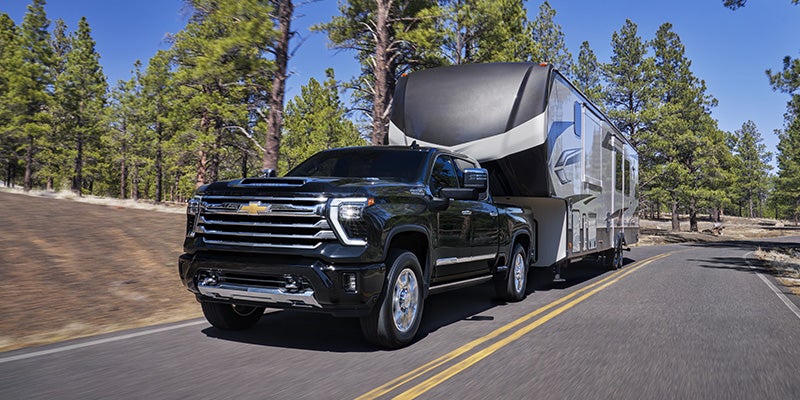
The Silverado 2500 vs 1500 question comes up the moment a truck shopper starts thinking seriously about towing or hauling. It carries real stakes either direction. Choose a truck with too little structural capacity and you push equipment past safe rated limits. Choose a platform with more capacity than your work ever demands and you absorb the fuel, ride, and cost trade-offs of a heavier truck you never fully load. The goal here is to lay out what separates these two trucks at a structural and mechanical level, what those differences mean for specific work scenarios, and how to reach a clear, grounded answer. What the HD Designation Means at the Structural Level HD stands for heavy duty, but that label covers a specific set of engineering choices that go well beyond a higher tow rating on the window sticker. The Silverado 2500 HD sits on a different foundation than the 1500, and those differences run through the frame construction, rear axle design, suspension geometry, and braking architecture. The 2500 HD uses a fully boxed high-strength steel ladder frame with heavier-gauge rails than the 1500 frame. Fully boxed construction closes all four sides of each frame rail, which increases resistance to torsional flex. When a loaded trailer applies rearward and downward force on the hitch receiver, the frame absorbs and distributes that force along its full length. A lighter frame deflects under that load. Deflection introduces stress fatigue into the metal and reduces how predictably the truck tracks a trailer through a turn or on a grade. The rear axle construction shifts between these two trucks as well. The Silverado 1500 uses an independent rear suspension on select configurations, which smooths out the ride on unloaded roads and reduces road noise at highway speeds. The 2500 HD runs a solid rear axle with leaf springs. That setup produces a firmer feel on empty roads but holds the axle in a fixed, stable position under vertical load. Leaf spring geometry stays consistent under heavy vertical weight in ways that coil and air setups cannot match across the full rated load range, which is why that configuration remains standard across HD-class work trucks. The braking architecture scales up to match. The 2500 HD ships with larger caliper and rotor packages and includes a factory-integrated trailer brake controller. Stopping a 20,000-pound combined vehicle and trailer load requires a far greater braking force than stopping an empty pickup. The 2500 HD's system is rated and calibrated for that demand range. The 1500 system is not. What Does Towing Capacity Really Mean for Your Decision? Towing capacity ratings are maximums, not operational targets. That distinction carries more weight in the buying decision than most shoppers realize before they commit. The Silverado 1500, when properly set up, reaches a maximum conventional tow rating of approximately 13,300 pounds. The 2500 HD with the Duramax 6.6L turbo-diesel reaches 22,500 pounds. Those numbers tell part of the story. What they leave out is operating headroom, and headroom is where the gap between these two platforms lives in real terms. A truck pulling near its rated maximum is working at the outer edge of its calibrated load range. The engine works harder to hold speed on grades. The transmission cycles more frequently under sustained load. The brakes absorb more heat per stop. The suspension runs compressed closer to its designed limit. None of those factors is unsafe in isolation, but the cumulative load on drivetrain cooling, brake components, and hitch hardware accelerates wear on trucks that run near their ceiling on a frequent basis. A Silverado 2500 HD pulling 13,000 pounds with the diesel is running at roughly 57 percent of its rated maximum. The engine, transmission, brakes, and suspension are well within their calibrated range. The truck holds speed on grades without strain, manages stopping distances with headroom left, and places far less thermal stress on the transmission cooler and rear brakes. If your trailer loads sit between 10,000 and 14,000 pounds with any frequency, that gap in operating margin is worth evaluating carefully, even if both trucks carry ratings that technically cover those numbers. Shoppers who pull fifth-wheel RVs, livestock trailers, or loaded flatbeds should pay close attention to tongue weight ratings alongside gross trailer weight. Tongue weight is the downward force a trailer's hitch point applies to the truck's receiver. The 2500 HD's receiver, frame, and rear suspension are rated for a far higher tongue weight ceiling than the 1500. Exceeding that ceiling creates trailer instability and accelerates wear on the hitch receiver. What a Heavy-Duty Truck Costs You Day to Day The Silverado 2500 HD is a fully usable daily truck, but it asks for trade-offs worth understanding before the purchase is made. The solid rear axle and leaf spring suspension that give the 2500 HD its stability under load produce a noticeably firmer ride on unloaded roads. With the bed empty and no trailer attached, the rear end has less compliance over expansion joints, rough pavement, and gravel. Drivers who spend most of their time on Colorado's rural county roads or eastern plains highways without cargo will feel that stiffness on a daily basis. It is not harsh, but it is distinct from the coil-suspended ride of the 1500. Fuel consumption is a real line item. The 2500 HD does not receive an EPA fuel economy rating because HD-class trucks fall under a separate federal testing standard, but owner data from mixed driving puts gas-engine 2500 HD models in the 12 to 15 mpg range. The 1500 with a comparable V8 returns 16 to 20 mpg in similar drive cycles. For buyers covering long miles through eastern Colorado and western Kansas, that spread adds up to a measurable annual fuel cost difference. Maneuverability deserves an honest look as well. The 2500 HD is longer, taller, and heavier than the 1500 in equivalent cab and bed configurations. In tight loading areas, elevator lots, or narrow farm access roads, that added footprint requires more deliberate awareness. If your daily route involves frequent maneuvering in confined spaces without a trailer, the 1500's smaller profile gives you a real operational edge. The Work Scenarios Where the 2500 HD Is the Right Tool There is no universal answer to the half-ton versus three-quarter ton question. Certain work scenarios point clearly toward the 2500 HD, and the reason is not that the 1500 falls short on paper. It is that the 2500 HD's structural architecture fits those scenarios in ways a lighter platform cannot replicate. Three categories cover the majority of buyers who need to step up to HD. Gooseneck and fifth-wheel towing: Both hitch types mount in the truck bed and transfer load directly to the frame and rear axle. That mounting geometry requires the structural rating of an HD chassis. The 2500 HD is the correct platform for that connection, and the 1500 is not rated for it. Consistent loads above 10,000 pounds: Loaded livestock trailers, heavy flatbeds carrying farm equipment, and large enclosed cargo haulers in that range belong on an HD chassis. The operating headroom gap covered in the previous section is the reason, not the maximum number on the sticker. High payload work in the bed: The 2500 HD carries between 3,375 and 3,689 pounds of payload in gas-engine configurations, roughly 60 percent more than a well-equipped 1500. Contractors loading concrete block, lumber, or equipment components need that rated capacity to stay within safe limits. Two additional scenarios make a strong case for the 2500 HD. Drivers who make sustained trailer hauls on highway grades put continuous demand on drivetrain cooling, and the 2500 HD's engine and transmission cooling architecture is calibrated for that sustained output in ways the 1500 is not. Buyers who need the Duramax 6.6L turbo-diesel for long-haul torque will find the 910 lb-ft and 470 horsepower it produces deliver a qualitatively different pulling character than any gas engine in either truck class. How to Evaluate Which Truck Fits Your Work The right starting point is your most demanding consistent use case. What comes up on a regular schedule sets your load baseline, and that baseline points you toward the right platform. If your heaviest consistent load is a recreational boat, a small travel trailer, or a utility trailer under 8,000 pounds, the Silverado 1500 handles that work with rated headroom to spare. Add the available 3.0L Duramax diesel and you get towing efficiency without the HD trade-offs on fuel consumption and ride firmness. The 1500 is also the stronger fit if you spend most hours driving unloaded or if a smoother daily ride is a priority. If your work includes hauls above 10,000 pounds on a frequent basis, fifth-wheel towing, or heavy payload loads in the bed, the Silverado 2500 HD is the correct starting point. The added purchase cost, with the 2026 model starting at $48,195, reflects the investment in frame construction, braking capacity, and drivetrain cooling architecture that protect both the truck and whatever it pulls. Buyers caught between these two platforms are most frequently those with occasional heavy needs. If you pull heavy equipment four times a year but otherwise drive empty, a properly equipped 1500 may cover those hauls adequately. However, if those hauls run above 12,000 pounds, the margin narrows. In those situations, the 2500 HD provides a structural buffer the 1500 cannot. At Vince's GM Center in Burlington, Colorado, the team works with truck buyers across eastern Colorado and western Kansas who face exactly this decision every season. Whether your needs point toward the versatile 1500 or the work-rated 2500 HD, the right conversation starts with what you haul, and the team here is ready to work through that with you

What Is OnStar and How Does It Help Drivers Day to Day?

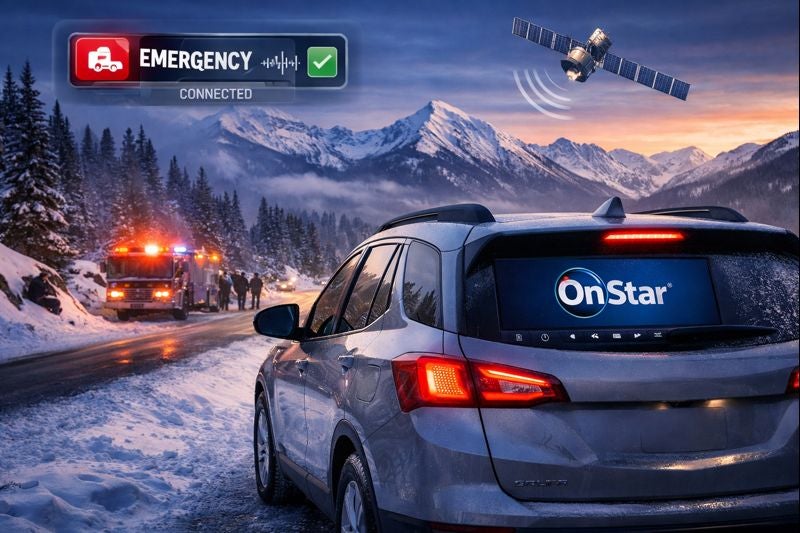
What is OnStar? For many GM drivers, it’s a connected vehicle system designed to support safety, convenience, and everyday driving situations through features that work both inside the vehicle and through mobile connectivity. While many people recognize OnStar from emergency response commercials, modern OnStar services often extend beyond accident assistance alone. Depending on the vehicle and subscription plan, OnStar may also support remote access features, roadside assistance, vehicle diagnostics, navigation support, and connected app functionality that can become part of everyday ownership. For some drivers, those features may feel unnecessary at first. For others, they can become useful during situations that happen more often than expected, including lockouts, flat tires, cold mornings, or long-distance travel. What OnStar Actually Does At its core, OnStar is designed to connect a GM vehicle to support services and connected technology systems. That connection may allow drivers to access: emergency assistance roadside support remote vehicle controls navigation support vehicle diagnostics in-vehicle connectivity features Modern GM vehicles may also connect OnStar functionality through a mobile app experience, allowing certain features to be accessed remotely depending on the vehicle and active services. For many drivers, that’s where confusion often starts. Some people still associate OnStar only with emergency crash response, while newer systems may include multiple convenience and connectivity tools designed for everyday use. How OnStar Works Inside the Vehicle OnStar works through built-in vehicle hardware and connected communication systems that can link the vehicle with support networks and mobile services. In some situations, the system may: detect severe collisions connect drivers with emergency personnel provide roadside assistance access support remote vehicle commands relay diagnostic information For example, automatic crash response systems may attempt to contact emergency support if a significant collision is detected. That functionality is one reason many drivers initially associate OnStar primarily with safety services. At the same time, the system may also support less urgent ownership situations that happen more regularly during day-to-day driving. Why Many Drivers Use OnStar Beyond Emergencies One recurring pattern across driver discussions is that convenience features often become more valuable over time than owners initially expected. Some drivers mention using OnStar related services for: remote start during winter weather unlocking doors after locking keys inside checking vehicle health information finding roadside assistance during travel locating parked vehicles in large parking areas For example, remote vehicle access may allow certain drivers to: start the vehicle remotely lock or unlock doors check vehicle status through a connected app How useful those features feel often depends on: driving habits climate commute routines travel frequency family needs A driver dealing with cold winters may value remote start differently than someone in a warmer climate. Similarly, parents with teen drivers may prioritize safety and location-based features differently than drivers focused mainly on commuting. How OnStar May Support Different Driving Situations Not every driver uses connected vehicle features the same way. Daily Commuters Drivers who spend significant time commuting may value: navigation assistance traffic support remote start functionality vehicle diagnostics Those features can help simplify routines or reduce small day-to-day frustrations during busy schedules. Families and Teen Drivers Some families look at connected vehicle systems as an added layer of communication and reassurance. Depending on the setup and active services, connected features may help support: emergency response access vehicle location awareness roadside assistance communication For some parents, that may provide added peace of mind during long trips or when younger drivers begin using the vehicle independently. Long-Distance Travelers Drivers who frequently travel may find value in: roadside assistance access navigation support connected communication systems diagnostic monitoring during longer drives Unexpected situations like flat tires or breakdowns can feel less stressful when support options are integrated into the vehicle system itself. Drivers in Colder Weather Areas In colder climates, remote vehicle access often becomes one of the most frequently discussed convenience features. Being able to remotely start or prepare the vehicle before entering it may improve comfort during winter months, especially during early morning commutes. Understanding OnStar Subscriptions and Feature Access One of the most common frustrations surrounding OnStar involves subscription confusion. Many drivers assume every feature automatically remains active with vehicle ownership, but some services may depend on: active subscription plans trial periods vehicle model year available package tiers That’s why some owners mention confusion around: feature availability pricing structures subscription expiration timing Not every driver values the same features equally, so whether a subscription feels worthwhile often depends on how frequently those services are actually used. For example: a driver who regularly uses remote access features may see different value than someone who rarely uses connected services a family focused on roadside support may prioritize different features than someone mainly interested in Wi-Fi connectivity What Drivers Often Overlook About OnStar One reason opinions around OnStar vary is because many drivers initially evaluate it only through emergency scenarios. In reality, connected vehicle systems often become most noticeable during smaller ownership situations: lockouts battery concerns roadside events navigation needs weather-related convenience travel interruptions Those moments may not happen daily, but they can shape how useful connected services feel over time. For some owners, OnStar becomes something they rarely think about until they suddenly need it. For others, app connectivity and remote access become part of normal daily vehicle use. Why Connected Vehicle Technology Continues Expanding As vehicles become more connected, systems like OnStar continue evolving beyond traditional emergency support. Modern drivers increasingly expect: mobile integration remote accessibility connected diagnostics easier communication between vehicles and apps That doesn’t necessarily mean every driver needs every connected feature available. But it does explain why connected vehicle systems continue becoming a larger part of how manufacturers support modern ownership experiences. For many GM drivers, OnStar may ultimately be less about one specific feature and more about how multiple systems work together to support convenience, communication, and peace of mind during everyday driving.

What Drivers Notice When a Service Department Makes Things Easier, Not More Stressful

Most drivers searching for a GM service center near me or auto service near me are not just trying to fix a problem. They are trying to avoid a stressful experience. That stress usually does not come from the repair itself. It comes from uncertainty, lack of communication, unclear timelines, and not knowing what to expect next. A well-run service department changes that experience entirely. Instead of reacting to problems, it creates a system where drivers understand what is happening, why it is happening, and what comes next. That shift is what builds long-term trust and confidence in vehicle ownership. Why Service Feels Stressful and What Drivers Are Actually Reacting To Many drivers ask what they should expect from a car service appointment. A service appointment is a structured process that includes vehicle check-in, diagnostics, technician evaluation, repair or maintenance, and final verification before returning the vehicle. Stress happens when that process feels unclear or inconsistent. Drivers are usually reacting to • Not knowing how long the service will take • Not understanding what is being done to their vehicle • Unexpected pricing changes • Lack of updates during the process These are not mechanical problems. They are process problems. When a service department is structured properly, each step is predictable. The driver knows when the vehicle is being inspected, when decisions are made, and when the vehicle will be ready. That predictability reduces stress more than any single repair ever could. How Communication Systems Reduce Uncertainty During Service Many drivers wonder how they can tell if a service center is reliable. A reliable service center is one that clearly communicates what is happening with your vehicle at every stage of the process. In a GM service environment, communication is typically structured between the service advisor, technician, and driver. The technician performs diagnostics and documents findings. The service advisor translates that information into clear explanations and next steps for the driver. Effective communication systems include • Clear explanation of diagnostic results before any work begins • Approval steps before additional repairs are performed • Status updates during longer service visits • Transparent breakdown of pricing and labor When this system is working correctly, drivers are not left guessing. They understand what their GM vehicle needs and why those recommendations are being made. This is especially important with modern vehicles, where diagnostics involve electronic systems, sensors, and onboard computers. Without clear communication, these systems can feel complicated. With proper explanation, they become understandable and manageable. How Workflow and Scheduling Impact Service Time One of the most common questions drivers have is how long service should take. Service time is not random. It is determined by how the service department manages workflow. A service department operates on a structured schedule that includes appointment spacing, technician availability, and diagnostic prioritization. When too many vehicles are scheduled at once, delays happen. When scheduling is balanced correctly, work flows efficiently. Several factors influence service timing • The type of service being performed, such as routine maintenance versus diagnostics • Technician specialization and availability • Parts availability for repairs • The condition of the vehicle when it arrives For example, a GM oil change and inspection follows a standardized process and can be completed quickly when scheduled properly. A diagnostic visit takes longer because the technician must identify the root cause before repairs begin. When drivers understand this difference, wait times feel more predictable instead of frustrating. Why Preventative Maintenance Changes the Ownership Experience Many drivers approach service as something they deal with when something goes wrong. Preventative maintenance changes that approach completely. Preventative maintenance is a planned service schedule designed to keep vehicle systems operating within their intended range. This includes oil changes, brake inspections, fluid checks, and system monitoring. In GM vehicles, maintenance schedules are built around mileage intervals and system performance data. Following these schedules allows technicians to identify wear before it becomes a failure. This approach reduces stress in several ways • Fewer unexpected breakdowns • More predictable service visits • Lower long-term repair costs • Better overall vehicle performance Instead of reacting to problems, drivers stay ahead of them. That creates a more stable and confident ownership experience over time. What a Well-Run Service Department Actually Looks Like Many drivers ask how to choose a reliable auto repair shop. A well-run service department is not defined by a single factor. It is defined by how consistently the entire system works. Key indicators of a strong service experience include • Structured appointment scheduling that prevents overcrowding • Clear communication between technician, advisor, and driver • Transparent pricing before work begins • Consistent updates throughout the service process • Efficient workflow that reduces unnecessary delays When these elements are in place, service becomes predictable. Drivers know what to expect, how long things will take, and how decisions are made. For GM vehicle owners, this also means working with technicians who understand GM-specific systems, diagnostics, and service intervals. That familiarity improves accuracy and efficiency during every visit. How Service Experience Impacts Long-Term Ownership The way a service department operates affects more than a single visit. It shapes how drivers feel about maintaining their vehicle over time. When service is easy to schedule, clearly communicated, and efficiently completed, drivers are more likely to stay consistent with maintenance. That consistency leads to better vehicle reliability, fewer major repairs, and a smoother ownership experience overall. When service feels disorganized or unclear, drivers tend to delay maintenance. That delay often leads to larger issues, higher costs, and more stress in the future. This is why the service experience matters just as much as the repair itself. It determines whether maintaining a vehicle feels manageable or overwhelming. What Drivers Should Pay Attention To During Service Instead of focusing only on the repair outcome, it helps to evaluate how the service process works. Pay attention to • How clearly the service advisor explains the work being done • Whether pricing is communicated before repairs begin • How often updates are provided during the visit • Whether timelines are realistic and consistent • How easy it is to schedule and complete future appointments These factors define the experience. When they are handled well, service becomes something drivers can rely on instead of something they avoid.

Chevrolet and GMC Spring Service Checklist for Colorado Drivers

Spring in Colorado can be hard on a vehicle in ways many drivers do not immediately notice. Winter may be over, but the effects of cold temperatures, road grime, potholes, and changing tire pressure often show up after the season ends. That is why a Chevrolet spring maintenance checklist or GMC spring maintenance checklist should do more than repeat basic service reminders. It should help drivers understand which systems were stressed during winter and why those systems matter for daily driving, safety, and long term wear. For Colorado drivers, spring service is not just about routine upkeep. It is about catching small issues before they affect tire life, visibility, braking confidence, or summer travel reliability. That practical, ownership focused approach fits the clear and benefit led tone expected for Chevrolet and GMC service content. Why Colorado Spring Driving Changes What Chevrolet and GMC Owners Should Check First Many Chevrolet and GMC owners ask what a spring vehicle maintenance checklist should actually include after a Colorado winter. The answer starts with understanding what winter conditions do to the vehicle. Freeze thaw cycles can create potholes that put sudden impact loads into tires, wheels, and suspension components. Road debris and grime build up underneath the vehicle and around key wear items. Temperature swings can also affect tire pressure and battery performance. A vehicle may still feel normal in everyday driving even when alignment angles, tread wear, or filter condition have started to change. That is why a useful Chevrolet spring maintenance checklist or GMC spring maintenance checklist should prioritize the systems most likely to be affected by winter road conditions: • Tires and wheel condition • Suspension and alignment behavior • Oil and fluid condition • Engine and cabin air filters • Wiper blades and brake performance • Multi point inspection results This kind of checklist is more effective than a generic service list because it reflects how Colorado roads and weather influence real ownership. How Chevrolet and GMC Tire Service Helps Catch Winter Road Damage Drivers also want to know why Chevrolet tire rotation service or GMC tire inspection matters so much in spring. The reason is that tires are often the first place winter wear becomes visible. Tire rotation is the process of moving tires from one wheel position to another so tread wear stays more even across the vehicle. Chevrolet recommends regular tire rotation because front and rear tires often wear differently depending on steering load, braking force, and drivetrain layout. When wear becomes uneven, it can affect how the vehicle tracks on the road, how evenly it brakes, and how long the tires last. Spring is also a good time to check for pothole related problems. A hard impact can damage more than the tire itself. It can also affect: • Wheel condition and balance • Alignment angles • Steering response • Suspension components • Tread wear patterns For Colorado drivers, this means a Chevrolet tire rotation service or GMC tire inspection is not just about mileage intervals. It is also a way to catch winter damage before it turns into vibration, uneven wear, or reduced wet weather grip. Why Oil, Filters, and Fluids Matter in a Chevrolet and GMC Spring Maintenance Checklist Another common question is whether Chevrolet oil and filter change service or GMC engine air filter service really needs attention if the vehicle still seems to be running fine. In many cases, yes. Oil protects internal engine components by reducing friction, carrying heat away from moving parts, and helping suspend contaminants until the oil is changed. If oil has broken down or reached its service interval, the engine may still operate normally for a while, but long term protection is reduced. Spring is also an ideal time to check filters. A dirty GMC engine air filter service item can restrict airflow into the engine, which affects combustion consistency and can reduce performance efficiency. A clogged GMC cabin air filter replacement or Chevrolet cabin filter service item can reduce airflow through the HVAC system, which matters once warmer weather arrives and drivers rely more heavily on ventilation and air conditioning. Fluid checks are important for the same reason. Brake fluid, coolant, and washer fluid all support systems that become especially important as spring weather and travel demands increase. How Wiper Blades and Brake Checks Support Safer Spring Driving Owners often ask whether Chevrolet wiper blade replacement or GMC brake inspection is truly necessary if there are no obvious warning signs. The issue is that both systems can decline gradually. Wiper blades are a good example. After a winter of cold exposure and road grime, the rubber edge on a blade may harden, crack, or lose even contact with the windshield. In light rain or road spray, that can lead to streaking and reduced visibility. Drivers often do not notice the problem until the first strong spring storm. Brake inspections matter for a similar reason. Braking performance is not only about whether the vehicle stops. It is also about how smoothly and consistently it responds under normal driving. If pads are worn unevenly or braking surfaces show excess wear, stopping confidence can change slowly enough that drivers adapt to it without realizing the system needs service. For spring driving, these items are worth checking because they directly affect visibility and control. Why a Chevrolet and GMC Multi Point Inspection Is One of the Smartest Spring Service Steps Another common question is whether a GMC multi point inspection or Chevrolet multi point inspection is just a basic review or a useful way to catch winter related wear. A multi point inspection is a structured service check in which technicians review major vehicle systems such as tires, brakes, fluids, and visible wear items to identify developing maintenance needs. That matters because not every issue creates an immediate dashboard warning or obvious symptom. A spring inspection can help flag: • Battery weakness after cold weather strain • Uneven tire wear or impact damage • Brake wear that has not yet become severe • Fluid conditions that need attention • Wiper or filter wear that affects comfort and visibility For Colorado drivers, a Chevrolet and GMC certified service visit that includes a multi point inspection can be one of the most efficient ways to reset the vehicle after winter and prepare it for warmer weather travel. Why a Spring Checklist Matters for Chevrolet and GMC Owners A strong Chevrolet spring maintenance checklist or GMC spring maintenance checklist should do more than remind drivers to get an oil change. It should help owners understand how winter conditions affect tires, filters, visibility, braking, and inspection needs. That is especially important in Colorado, where potholes, temperature swings, and changing road conditions can create wear that is easy to overlook. For drivers preparing for spring commuting and summer travel, the smartest service priorities usually include tire inspection and rotation, oil and filter service, air filter checks, wiper blade review, brake inspection, and a multi point inspection. When those items are handled together, Chevrolet and GMC owners are in a stronger position to protect vehicle performance, comfort, and reliability through the next season.

GM Roadside Assistance Coverage Explained What It Includes and How Long It Lasts

GM roadside assistance is designed to support drivers when a vehicle becomes temporarily inoperable due to common roadside issues. It is not a repair program and it is not insurance. Instead it is a mobility focused service intended to help drivers get back on the road or to a safe location when unexpected situations occur. Understanding how GM roadside assistance works requires clarity around what is included, how long coverage lasts, and how it differs from OnStar roadside services. These distinctions matter for long term ownership planning and for avoiding surprises when assistance is needed. What GM Roadside Assistance Is Designed to Do GM roadside assistance is included with most new GM vehicles during the active warranty period. The service is built around safety and convenience rather than mechanical diagnosis or repair. The primary goal is to: Restore basic mobility when possible Transport the vehicle when mobility cannot be restored Support driver safety during roadside events It is not intended to fix complex mechanical failures on site. Services Typically Included Under GM Roadside Assistance While coverage can vary by model year and warranty type, GM roadside assistance generally includes support for common non collision roadside events. Covered services typically include: Towing to the nearest GM dealer or authorized repair facility Flat tire assistance using the vehicle spare if available Battery jump start services Lockout assistance for keys locked inside the vehicle Emergency fuel delivery with fuel cost typically excluded These services are structured to address the most common reasons vehicles become temporarily disabled during normal operation. Towing Coverage and Limitations Towing is one of the most misunderstood elements of roadside assistance. Key towing considerations include: Towing is typically limited to a specific distance or to the nearest GM service location Coverage applies only when the vehicle is disabled due to a covered event Towing for accidents may fall under insurance rather than roadside assistance Understanding towing limits is important for drivers who travel long distances or live far from GM service centers. How Long GM Roadside Assistance Lasts Coverage duration is directly tied to the vehicle warranty. In most cases: Roadside assistance is included for the duration of the new vehicle limited warranty Coverage may extend longer for certain powertrain warranties depending on model and year Once warranty coverage expires roadside assistance also expires unless extended through other programs Drivers should confirm coverage duration based on their specific vehicle rather than assuming indefinite coverage. Is GM Roadside Assistance Free GM roadside assistance is included at no additional cost during the applicable warranty period. It is not a lifetime benefit and it does not automatically renew. Once coverage expires: Drivers are responsible for roadside service costs Alternative roadside plans may be considered OnStar services may provide continued support depending on subscription status Understanding when coverage ends allows owners to plan ahead rather than react under stress. GM Roadside Assistance vs OnStar Roadside Services GM roadside assistance and OnStar roadside services are often confused because they overlap in function but differ in structure. Key distinctions include: GM roadside assistance is warranty based OnStar roadside services are subscription based OnStar can provide assistance coordination even after warranty expiration OnStar integrates vehicle connectivity for faster location and response OnStar does not replace warranty roadside assistance but can extend roadside support beyond the warranty window. What GM Roadside Assistance Does Not Cover Understanding exclusions is as important as understanding coverage. Roadside assistance typically does not cover: Routine maintenance Mechanical repairs beyond basic assistance Damage from collisions or severe accidents Fuel cost beyond delivery Non emergency towing requests These limitations help define roadside assistance as a support service rather than a repair solution. When Roadside Assistance Makes the Most Difference Roadside assistance is most valuable during unexpected but common disruptions. Examples include: A dead battery after cold weather A flat tire during daily commuting Locking keys inside the vehicle Running out of fuel in unfamiliar areas In these situations the service reduces stress and downtime rather than solving long term vehicle issues. Ownership Planning and Coverage Awareness For GM owners the most important factor is awareness. Knowing when roadside assistance is active and when it expires helps avoid confusion during emergencies. Owners should evaluate: Current warranty status Roadside assistance expiration date OnStar subscription options Driving habits and travel distance This planning ensures support is available when needed rather than assumed. Long Term Ownership Perspective GM roadside assistance is a valuable ownership benefit when understood correctly. It provides short term mobility support and safety reassurance during the warranty period. It is not a substitute for maintenance planning or insurance coverage. Drivers who understand how roadside assistance fits into the broader ownership picture are better prepared for both everyday driving and unexpected situations.

How GM OnStar Supports Safety and Connectivity for Colorado Drivers in 2026

Colorado driving presents challenges that go beyond daily commuting. Elevation changes, unpredictable weather, limited cell coverage in mountain corridors, and long stretches of rural roadway all place higher demands on vehicle safety and connectivity systems. GM OnStar is designed to operate at the vehicle level rather than relying solely on a driver’s smartphone, which changes how it performs in real world Colorado conditions. Understanding whether OnStar makes sense starts with understanding what it actually does, how it interacts with the vehicle, and where its capabilities extend beyond traditional roadside assistance or phone based apps. OnStar as an Embedded Vehicle System OnStar is built directly into GM vehicles as an embedded telematics platform. It does not rely on the driver’s phone hardware to function. Core system components include: A dedicated onboard cellular modem External vehicle mounted antennas optimized for signal strength Direct access to vehicle sensors and control modules A continuous connection to GM response infrastructure Because of this design, OnStar operates independently of phone battery life, Bluetooth pairing, or app permissions. The system remains active whenever the vehicle has power and cellular coverage. Automatic Emergency Response in Remote Areas One of the most critical OnStar capabilities for Colorado drivers is automatic emergency response. If a severe collision occurs: Airbag deployment triggers an automatic alert Vehicle location data is transmitted immediately An OnStar advisor attempts two way communication Emergency services can be contacted even if the driver cannot respond In mountainous or rural areas where: Cell service may be inconsistent Accidents can occur off main highways Response times depend on precise location data This vehicle based detection can reduce delays that often occur when emergency response relies on bystanders or phone based reporting. Connectivity Beyond Smartphone Coverage OnStar uses a built in cellular connection rather than mirroring a phone’s signal. This matters in Colorado where terrain can interrupt personal device connectivity. Advantages of embedded connectivity include: Improved signal stability due to roof mounted antennas Continued service when phones lose signal in valleys or canyons Redundant communication pathways during emergencies Vehicle level GPS accuracy independent of phone placement While OnStar cannot overcome complete lack of cellular coverage, its signal consistency is often stronger than handheld devices in marginal service areas. Vehicle Diagnostics and Proactive Alerts Another area where OnStar differs from phone based services is direct access to vehicle health data. OnStar can monitor: Engine and drivetrain alerts Battery and electrical system status Tire pressure changes Maintenance related fault codes Rather than reacting only after a breakdown, the system can alert drivers to developing issues that could lead to roadside problems. For Colorado drivers who travel long distances between service locations, early awareness can prevent more serious interruptions. Stolen Vehicle Assistance and Location Tracking OnStar’s integration with the vehicle allows it to assist in theft recovery in ways apps cannot replicate. Capabilities include: Real time vehicle location tracking Assistance coordinating with law enforcement Remote vehicle slowdown when authorized Recovery support even if the vehicle is powered off In areas where vehicles may be parked at trailheads, ski areas, or remote locations, this level of tracking can add an extra layer of security. How OnStar Compares to Roadside Assistance Alone Traditional roadside assistance focuses on after the fact support such as towing or jump starts. OnStar expands beyond that scope. Key differences include: Automatic crash detection instead of manual calls Vehicle diagnostics instead of symptom reporting Location transmission without driver interaction Integration with emergency services rather than third party dispatch For drivers who prioritize emergency readiness over convenience features, this distinction is important. Subscription Considerations in 2026 OnStar services are offered in tiered plans that separate safety features from convenience and connectivity options. Factors Colorado drivers should consider: Frequency of mountain or rural driving Winter weather exposure and road conditions Distance from emergency services Desire for vehicle level diagnostics Comfort relying solely on smartphone based tools Some safety features remain available during trial periods or limited access windows, while expanded services require a paid subscription. Evaluating which features align with actual driving habits helps determine long term value. Limitations to Be Aware Of OnStar is not a universal solution. Limitations include: Dependence on cellular coverage Subscription cost over time Reduced benefit for drivers who remain in urban areas Overlap with smartphone features for some users Understanding these tradeoffs prevents unrealistic expectations and supports informed ownership decisions. Ownership Perspective for Colorado Drivers For Colorado drivers who routinely travel through elevation changes, remote areas, or extreme weather, OnStar offers value through embedded safety systems rather than convenience alone. Its strength lies in automatic response, vehicle level connectivity, and integration with emergency services. Drivers who remain primarily in metro areas with strong phone coverage may see less differentiation, while those navigating the state’s more demanding driving environments may benefit from the added redundancy.

GM vehicle stopped on a snowy Colorado mountain road using OnStar emergency connectivity after a winter driving incident

Is GM OnStar Worth It for Colorado Drivers in 2026

For Colorado drivers, the value of a connected vehicle system depends less on novelty and more on reliability when conditions are unpredictable. Mountain highways, remote stretches of road, extreme winter weather, and rapid elevation changes all create scenarios where a vehicle needs to function independently of a driver’s phone. That is where GM OnStar operates differently than app based alternatives. OnStar is not a phone app. It is an embedded vehicle system built directly into the electrical and communication architecture of GM vehicles. Understanding whether it is worth paying for requires understanding how those systems actually work and where they outperform consumer technology. How GM OnStar Works at a System Level OnStar operates through a dedicated telematics control module integrated into the vehicle. This module uses multiple cellular carriers rather than a single provider, allowing the system to select the strongest available signal in real time. It draws power from the vehicle’s electrical system and contains its own antenna array, microphone, speaker integration, and GPS receiver. Key technical characteristics include: Independent cellular connectivity separate from the driver’s smartphone Direct integration with airbag sensors, accelerometers, and crash detection systems Continuous GPS tracking even if the vehicle is powered off after an incident Priority routing to emergency response centers rather than public 911 queues Because it is embedded, OnStar can activate automatically even when the driver cannot physically interact with the vehicle. Automatic Crash Response in Real World Conditions Automatic Crash Response is one of the most significant differentiators between OnStar and phone based safety features. When a GM vehicle equipped with OnStar detects a severe collision through airbag deployment or sudden deceleration thresholds, the system initiates an outbound call automatically. This matters in Colorado because: Mountain road crashes often involve limited traffic Winter conditions increase the likelihood of rollovers or off road incidents Cellular coverage may be inconsistent but not completely absent Driver injury may prevent manual calls for help OnStar advisors receive vehicle location, crash severity indicators, and sensor data immediately. They can relay that information directly to emergency services without relying on the driver to explain location or condition. Coverage and Connectivity in Rural and Mountain Areas OnStar’s multi carrier approach gives it a measurable advantage in rural regions compared to single carrier smartphones. While no system guarantees coverage in every canyon or mountain pass, OnStar’s external antennas and carrier switching capability often maintain connectivity where phones drop signal. Important limitations to understand: OnStar still requires cellular service It is not satellite based Deep canyons and extreme backcountry areas may still be unreachable Performance depends on regional carrier infrastructure For drivers who routinely travel outside urban Front Range corridors, OnStar increases the probability of maintaining a usable connection during emergencies rather than replacing situational awareness or trip planning. Stolen Vehicle Assistance and Recovery Capabilities OnStar integrates directly with vehicle ignition and drivetrain controls. If a vehicle is reported stolen, OnStar advisors can: Track vehicle location in real time Share location updates with law enforcement Slow the vehicle remotely when authorized by police Prevent the vehicle from restarting once shut off These capabilities are not available through consumer tracking devices or smartphone apps. They require manufacturer level access to vehicle systems. Remote Access and Vehicle Monitoring Many drivers focus on remote start and door lock features when evaluating OnStar, but those functions represent only a portion of the system’s value. Remote and monitoring services include: Engine start and climate preconditioning Door lock and unlock Vehicle status checks such as fuel level and tire pressure Diagnostic alerts tied to onboard monitoring systems While smartphones can replicate some convenience functions, they cannot access vehicle sensor data at the same depth or reliability level as embedded systems. Subscription Cost Considerations in 2026 OnStar plans are modular rather than one size fits all. Safety and security services are priced separately from convenience and infotainment features. For many owners, the core value lies in safety coverage rather than daily usage. Ownership scenarios where OnStar provides the strongest return: Drivers who travel long distances or in rural regions Families with teen drivers Drivers who commute during winter weather conditions Owners who keep vehicles long term rather than leasing short term Drivers who remain primarily in urban areas and rely heavily on smartphones may find less daily utility but still benefit from emergency response redundancy. Privacy and Data Transparency OnStar allows drivers to control data sharing settings through account management tools. Location tracking, diagnostics, and usage data can be limited or disabled depending on service level and preference. Important clarifications: Emergency services require location access to function Diagnostic data supports vehicle health monitoring Data usage policies are documented and adjustable Understanding these controls is essential for drivers evaluating long term subscription value. Final Ownership Perspective for Colorado Drivers GM OnStar is not designed to replace a smartphone. It is designed to operate when a smartphone cannot. For Colorado drivers facing variable terrain, weather extremes, and long stretches of road with limited infrastructure, that distinction matters. Its value comes from embedded reliability, automatic response, and direct integration with vehicle systems rather than convenience alone. Drivers evaluating OnStar should consider not how often they will use it, but how critical it becomes in the moment they need it most.

2025 GMC HUmmer EV

The 2025 GMC HUMMER EV Pickup Redefines Power

The 2025 GMC HUMMER EV Pickup is designed for strength, durability, and power, both on and off-road. It's also all-electric, giving it even more advantages than a gasoline- or diesel-powered truck. We're going to look at some of its awesome capabilities. The 2025 GMC HUMMER EV Pickup: Redefining All-Electric Power Extreme Motor Power The HUMMER is available in two trim versions, the EV 2x and the EV 3x. The EV 2x has a dual-motor e4WD system, with one motor connected to the front axle and the other to the rear axle. The motors are powered by an Ultium battery pack and produce 570 hp and 7,400 lb-ft of torque. A fully charged battery gives you a range of 318 miles. The EV 3x features a tri-motor e4WD system, with one motor connected to the front axle and the other two connected to the rear axle. These motors are also powered by an Ultium battery and deliver an incredible 1,000 hp and 11,400 lb-ft of torque. The available Watts to Freedom feature allows you to take advantage of this power by delivering breathtaking acceleration. The EV 3x has a range of 367 miles on a full battery. Watts to Freedom As we saw above, this feature is available for the EV 3X and provides lightning-fast acceleration. To activate it, you need to bring your HUMMER to a stop on a closed track with the wheels facing forward. Press the StabiliTrak button on the instrument panel twice, and a pop-up will appear on your infotainment screen to confirm you want to engage Watts to Freedom. Confirm your choice, and you'll feel your HUMMER lower itself, crouching like an Olympic sprinter. Graphics on the screen will show you the progress as the system prepares. When ready, press down the brake pedal with your left foot, then press and hold the accelerator pedal with your right foot. When prompted, release the brake pedal, and your HUMMER hurtles forward at breathtaking speed, reaching 0-60 mph in 3.0 seconds. It's a rush you have to experience. Home Backup Power The HUMMER's powerful battery can power your home in an emergency. Blackouts can occur with little warning, and depending on their cause, power could be out for several days. If this happens, your HUMMER can come to the rescue using its powerful battery to keep your lights on. When you install the available GM Energy PowerShift Charger and the GM Energy Enablement Kit in your home, your HUMMER can easily supply up to 19.2 kW, which is enough power to power your house for up to two weeks, depending on electricity demands. ​Book your test drive today by contacting us at Vince's GM Center in Burlington, CO.

Contact Us

Fill out this form below and we'll contact you shortly
*Required Fields