





What is OnStar? For many GM drivers, it’s a connected vehicle system designed to support safety, convenience, and everyday driving situations through features that work both inside the vehicle and through mobile connectivity.
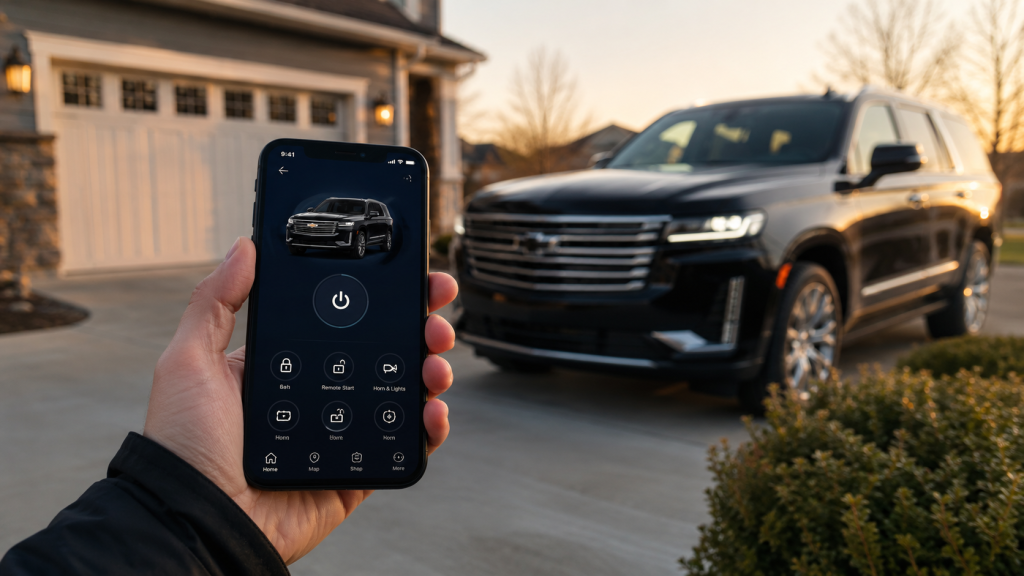
While many people recognize OnStar from emergency response commercials, modern OnStar services often extend beyond accident assistance alone. Depending on the vehicle and subscription plan, OnStar may also support remote access features, roadside assistance, vehicle diagnostics, navigation support, and connected app functionality that can become part of everyday ownership.
For some drivers, those features may feel unnecessary at first. For others, they can become useful during situations that happen more often than expected, including lockouts, flat tires, cold mornings, or long-distance travel.
What OnStar Actually Does
At its core, OnStar is designed to connect a GM vehicle to support services and connected technology systems.
That connection may allow drivers to access:
- emergency assistance
- roadside support
- remote vehicle controls
- navigation support
- vehicle diagnostics
- in-vehicle connectivity features
Modern GM vehicles may also connect OnStar functionality through a mobile app experience, allowing certain features to be accessed remotely depending on the vehicle and active services.
For many drivers, that’s where confusion often starts. Some people still associate OnStar only with emergency crash response, while newer systems may include multiple convenience and connectivity tools designed for everyday use.
How OnStar Works Inside the Vehicle
OnStar works through built-in vehicle hardware and connected communication systems that can link the vehicle with support networks and mobile services.
In some situations, the system may:
- detect severe collisions
- connect drivers with emergency personnel
- provide roadside assistance access
- support remote vehicle commands
- relay diagnostic information
For example, automatic crash response systems may attempt to contact emergency support if a significant collision is detected. That functionality is one reason many drivers initially associate OnStar primarily with safety services.
At the same time, the system may also support less urgent ownership situations that happen more regularly during day-to-day driving.
Why Many Drivers Use OnStar Beyond Emergencies
One recurring pattern across driver discussions is that convenience features often become more valuable over time than owners initially expected.
Some drivers mention using OnStar related services for:
- remote start during winter weather
- unlocking doors after locking keys inside
- checking vehicle health information
- finding roadside assistance during travel
- locating parked vehicles in large parking areas
For example, remote vehicle access may allow certain drivers to:
- start the vehicle remotely
- lock or unlock doors
- check vehicle status through a connected app
How useful those features feel often depends on:
- driving habits
- climate
- commute routines
- travel frequency
- family needs
A driver dealing with cold winters may value remote start differently than someone in a warmer climate. Similarly, parents with teen drivers may prioritize safety and location-based features differently than drivers focused mainly on commuting.
How OnStar May Support Different Driving Situations
Not every driver uses connected vehicle features the same way.
Daily Commuters
Drivers who spend significant time commuting may value:
- navigation assistance
- traffic support
- remote start functionality
- vehicle diagnostics
Those features can help simplify routines or reduce small day-to-day frustrations during busy schedules.
Families and Teen Drivers
Some families look at connected vehicle systems as an added layer of communication and reassurance.
Depending on the setup and active services, connected features may help support:
- emergency response access
- vehicle location awareness
- roadside assistance communication
For some parents, that may provide added peace of mind during long trips or when younger drivers begin using the vehicle independently.
Long-Distance Travelers
Drivers who frequently travel may find value in:
- roadside assistance access
- navigation support
- connected communication systems
- diagnostic monitoring during longer drives
Unexpected situations like flat tires or breakdowns can feel less stressful when support options are integrated into the vehicle system itself.
Drivers in Colder Weather Areas
In colder climates, remote vehicle access often becomes one of the most frequently discussed convenience features.
Being able to remotely start or prepare the vehicle before entering it may improve comfort during winter months, especially during early morning commutes.
Understanding OnStar Subscriptions and Feature Access
One of the most common frustrations surrounding OnStar involves subscription confusion.
Many drivers assume every feature automatically remains active with vehicle ownership, but some services may depend on:
- active subscription plans
- trial periods
- vehicle model year
- available package tiers
That’s why some owners mention confusion around:
- feature availability
- pricing structures
- subscription expiration timing
Not every driver values the same features equally, so whether a subscription feels worthwhile often depends on how frequently those services are actually used.
For example:
- a driver who regularly uses remote access features may see different value than someone who rarely uses connected services
- a family focused on roadside support may prioritize different features than someone mainly interested in Wi-Fi connectivity
What Drivers Often Overlook About OnStar
One reason opinions around OnStar vary is because many drivers initially evaluate it only through emergency scenarios.
In reality, connected vehicle systems often become most noticeable during smaller ownership situations:
- lockouts
- battery concerns
- roadside events
- navigation needs
- weather-related convenience
- travel interruptions
Those moments may not happen daily, but they can shape how useful connected services feel over time.
For some owners, OnStar becomes something they rarely think about until they suddenly need it. For others, app connectivity and remote access become part of normal daily vehicle use.
Why Connected Vehicle Technology Continues Expanding
As vehicles become more connected, systems like OnStar continue evolving beyond traditional emergency support.
Modern drivers increasingly expect:
- mobile integration
- remote accessibility
- connected diagnostics
- easier communication between vehicles and apps
That doesn’t necessarily mean every driver needs every connected feature available. But it does explain why connected vehicle systems continue becoming a larger part of how manufacturers support modern ownership experiences.
For many GM drivers, OnStar may ultimately be less about one specific feature and more about how multiple systems work together to support convenience, communication, and peace of mind during everyday driving.
Connect with us

